Accelerate development with AI SDLC. People approve every step.

AI SDLC is the way Focaloid builds software, in about half the hands-on time. AI agents write the requirements, the code and the tests. A person checks each step before the next one starts. And one thread connects everything, from your business goal to the running system.

Why it is different

Not another coding assistant. A way of running the whole project.

Most AI tools help one developer write code faster. AI SDLC runs the whole project: seven phases, from the first look at your system to the day it is live, and after. With a person in charge at every step.

01

One thread, from your goal to production

Every requirement gets an ID at the start. The same ID is on the ticket, in the code, on the test and in the release. When something breaks in production, we can see which requirement it broke, and which business goal that requirement serves. A normal AI coding tool cannot do this.

02

People decide, at every step

AI agents write, test and review. But work does not move to the next phase until a person has checked it and approved it. Every approval is recorded, with a name and a time.

03

Built for the security review

Threats are considered at design time, not after. Automatic security checks run on the code and on the running system. Everything is logged. Our delivery is certified to ISO/IEC 27001:2022.

How it works inside is shown in a private demo, on a real project. This page tells you what to expect from it.

How it works

Seven phases. A person approves each hand-over.

The first six phases run once, from start to finish. The seventh keeps running after the release and sends what it finds back into the chain. Here is what happens in each phase, what you get, and who approves it.

One project, start to finishAgents do the work  ·  a person approves  ·  the IDs stay with the work
Analyze01
Plan02
Build03
Stage04
Verify05
Release06
Operate07
Agents do the work, in the phase's colour A person approves before it moves on Operate sends its findings back to Build
01Analyze
Read the existing system.

When a system already exists, AI agents read it first: the code, the running screens, the database. They write down what it does today, and they mark what they could not check.

You get: A clear description of your current system, with the open questions marked.
Approved by: Your team confirms it matches reality.
02Plan
Turn the goal into requirements.

Agents turn your goal into small, testable requirements, a design, a backlog and a test plan. Every requirement gets an ID, and it keeps that ID for the rest of the project.

You get: Requirements, a design and a backlog you can read and approve.
Approved by: You approve the requirements before any code is written.
03Build
Write the tests, then the code.

Agents write the tests first, then the code that passes them. Routine changes are reviewed by AI. Complex or sensitive changes go to a named engineer.

You get: Working software, reviewed, with a record of every change.
Approved by: An engineer approves every change that matters.
04Stage
Set it up somewhere real.

The new version is set up in a staging environment that works like production, with test data, and with a list of which requirements it delivers.

You get: A release candidate you can try before it goes live.
Approved by: A person confirms it is ready for testing.
05Verify
Prove it works.

Agents test the running system from end to end: the screens and the APIs. Anything that fails goes straight back to Build as a ticket.

You get: Test evidence for every requirement.
Approved by: A person accepts the results.
06Release
Move it to production, safely.

A change record, a rollback plan written before the deployment, a step-by-step rollout with health checks, and release notes written in business language.

You get: Release notes you can read, and a way back if something goes wrong.
Approved by: A person approves the release.
07Operate
Keep watching after release.

After release, the platform watches production. It groups errors by cause and sends them back into the chain, linked to the requirement they affect. It never changes production on its own.

You get: Fewer, clearer issues, and fixes that go through the same checks.
Approved by: A person decides on anything outside the agreed list.
A person approves every step

Automation with checks, not automation instead of people.

At every hand-over, a person confirms the work before the next phase starts. Not because we do not trust the agents. Because a mistake gets more expensive with every phase it passes through.

The check can stop the work.If the requirements are not clear, or an open question has no owner, the next phase does not start. The problem is reported, not hidden.
Every approval has a name and a time.Who approved what, and when, is part of the project record. It is there for your auditors, and for you.
When two rules conflict, the agent asks.The agents are not allowed to pick the easy answer. If a rule is unclear, they stop and ask a person.
From a live project

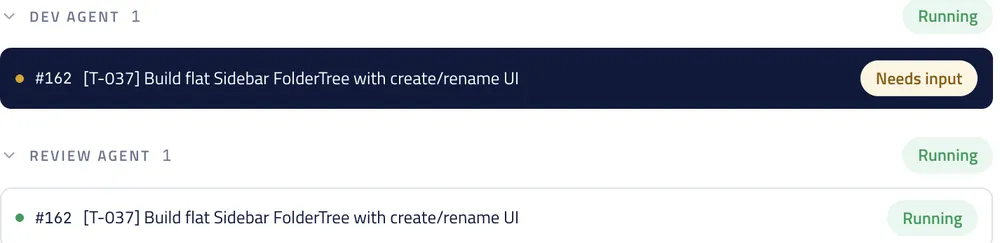
A code review asked the coding agent to add tests. The agent’s own rules said a separate agent writes the tests. It stopped, explained both rules, and asked an engineer which one should win. It did not guess.

the live platform · the agent waiting for a person
Two agent tracks on the live platform: the coding agent marked Needs input, the review agent still running
The moment on the live platform: the coding agent is marked Needs input and waits. The review agent keeps working on its own track.
What it means for you

Faster, and safer at the same time.

Speed on its own is easy to promise. This is what you actually get.

About half the hands-on build timeAgents do the routine work in every phase. Your engineers, and ours, spend their time on decisions.
One record of everythingRequirements, decisions, code, tests, approvals and releases, all connected. You can see what was done, by whom, and why.
Nothing is changed directly in productionEvery fix, even for a production error, goes through staging, testing and the same checks as any other change.
Release notes you can readWritten in business language: what changed for you, not what changed in the code.
Security from the first designThreats are considered while the design can still change. Automatic checks run on every change and on the running system.
Watched after releaseThe platform keeps watching production, groups errors by cause, and sends them back into the chain. It never changes production on its own.
Built and in use

A real platform, on real projects.

AI SDLC is not a plan or a slide. It is a working platform that our teams use every day. We show it on a real project, in a private demo.

  • In daily useOur teams use the platform every day, on client work, product builds and migration projects.
  • It tests itselfThe platform’s own test agent wrote and ran the regression tests for the platform. All of them passed.
  • The checks are realOn live projects, the checks have stopped work more than once. We can show you where, and what happened next.

We keep the details for the demo. Bring a system you are thinking of rebuilding, and we will show you what the first phase would do with it.

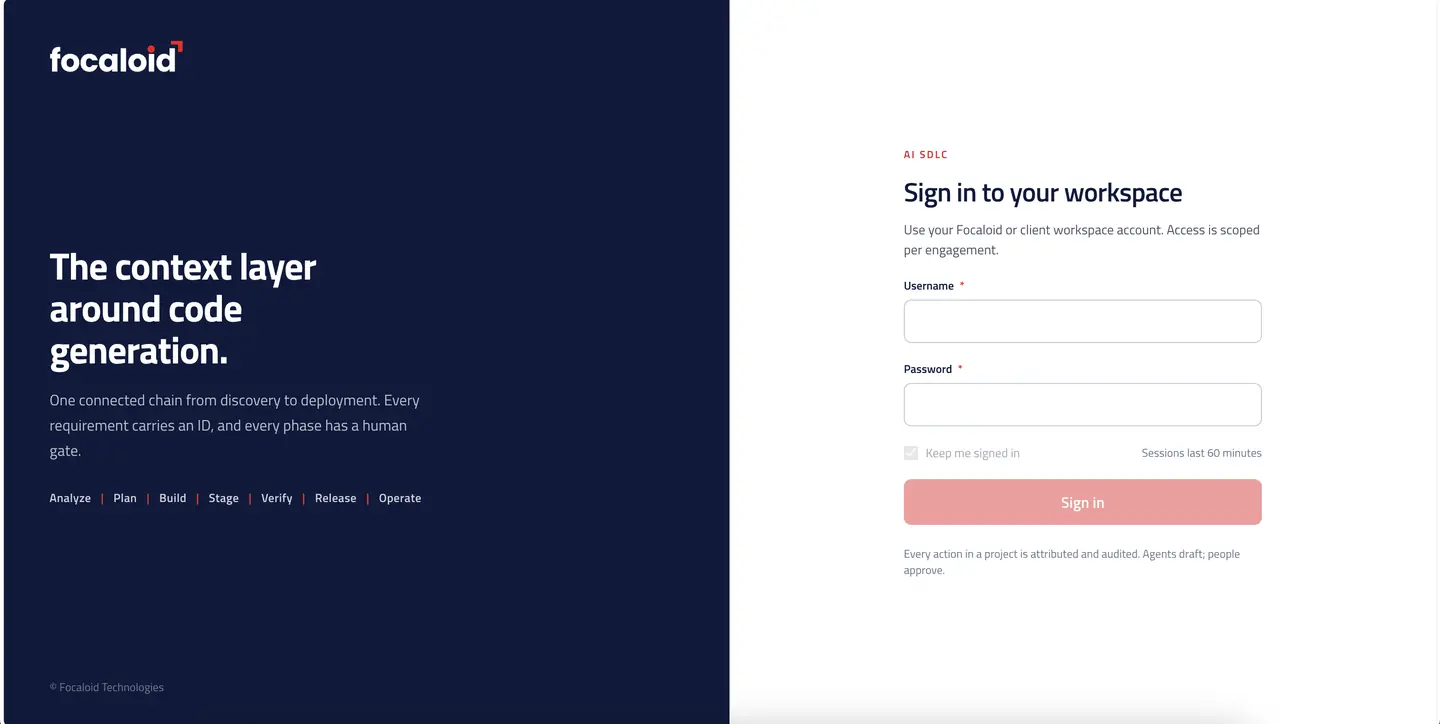
AI SDLC · sign inlive platform
The sign-in screen of the AI SDLC platform, listing the seven phases
The front door of the platform. Every user has an account, and access is per project. The rest is behind the sign-in, and we show it in person.
Where it fits in a project with us

Decide with Assay. Build with AI SDLC. Run it under control.

AI SDLC is what we use in the Build phase of every project. It is the reason a borderline business case can still pass in the Decide phase: about half the hands-on build time, with a named engineer approving every step.

DecideAssay puts a number on the idea first

What it costs to build, run, review and govern, against what it saves. Before anyone writes code. Sometimes the answer is: do not build it.

The AI Business Case
Build · you are hereAI SDLC builds the ones that pass

Requirements, design, code, tests, review and release. Agents do the work in every phase. A person approves each hand-over.

This page ↑
RunKept under control from day one to retirement

Quality gates, guardrails, an audit trail a regulator will accept, and a platform that keeps watching production for as long as the system runs.

AI Governance →
See it on a real project

Thirty minutes, on a live project.

No slides. We open the platform, pick a real project, and walk through it with you: how a requirement becomes code, where a person approves, and what the record looks like at the end. Bring a system you are thinking of rebuilding.

30 minutes · the live platform · with one of the people who built it
What we cover in the demo
  1. Your system, in the first phase. What the platform would produce from it, and how long that takes.
  2. The checks. Where a person approves, and what stops if they do not.
  3. The record. What you can see at the end of a project: every requirement, change, test and approval, connected.
  4. A written first step. Which phase you would start in, what we need from you, and a price.